Exploring Google Slides - A Comprehensive Guide
Introduction to Google Slides
Google Slides is a powerful, web-based presentation tool that allows users to create, edit, and share presentations in real-time. It is part of the Google Workspace (formerly G Suite) suite of productivity tools and is accessible from any device with internet access.
Why Consider Google Slides?
Google Slides offers a range of features that make it an attractive option for both personal and professional use. Here are some key reasons why someone might be interested in using Google Slides:
- Collaboration: Multiple users can work on the same presentation simultaneously, making it ideal for team projects.
- Accessibility: Access your presentations from anywhere, as long as you have an internet connection.
- Integration: Seamlessly integrate with other Google Workspace applications like Google Docs and Google Sheets.
- Cost-Effective: Free to use, with premium features available through a subscription to Google Workspace.
Benefits of Using Google Slides
Google Slides provides several benefits that can enhance your presentation creation and sharing experience:
- Real-Time Collaboration: Work together with colleagues or friends in real-time, seeing changes as they happen.
- Version History: Keep track of all changes made to the document, allowing you to revert to previous versions if needed.
- Rich Media Support: Embed videos, images, and other media directly into your slides for a more engaging presentation.
- Customizable Templates: Choose from a variety of templates to quickly start your presentation, or create your own custom design.
Tradeoffs and Considerations
While Google Slides offers many advantages, there are also some tradeoffs and considerations to keep in mind:
- Offline Access: Although Google Slides has an offline mode, it requires setup and may not offer the full range of features.
- Advanced Features: Some advanced design and animation features found in other presentation software, like Microsoft PowerPoint, are not available in Google Slides.
- Privacy Concerns: As a cloud-based service, there are potential privacy and security concerns, especially for sensitive information.
Situations Where Google Slides May Be a Strong Fit
Google Slides is particularly well-suited for the following scenarios:
- Team Projects: When multiple people need to contribute to a single presentation, Google Slides' real-time collaboration feature is invaluable.
- Remote Work: For remote teams, the ability to access and edit presentations from anywhere makes Google Slides a convenient choice.
- Educational Settings: Students and educators can benefit from the easy sharing and collaboration features, making it ideal for group assignments and class presentations.
Alternatives to Consider
While Google Slides is a robust tool, there are situations where alternatives may be worth considering:
- Microsoft PowerPoint: Offers more advanced design and animation features, making it a better choice for complex presentations.
- Prezi: Known for its dynamic and non-linear presentation style, Prezi can be a good alternative for more creative and visually engaging presentations.
- Canva: A graphic design platform that includes a presentation tool, Canva is great for those who want to create visually stunning presentations with minimal effort.
Practical Decision-Making Insights
When deciding whether Google Slides aligns with your needs, consider the following:
- Your Team's Needs: Assess whether real-time collaboration and accessibility are essential for your team.
- Presentation Complexity: Determine if your presentations require advanced design and animation features.
- Budget Constraints: If cost is a significant factor, Google Slides' free version may be more appealing than paid alternatives.
- Security and Privacy: Evaluate the sensitivity of the information in your presentations and whether a cloud-based solution is appropriate.
Conclusion
Google Slides is a versatile and user-friendly presentation tool that offers a wide range of features to meet various needs. By carefully considering your specific requirements and evaluating the tradeoffs, you can determine whether Google Slides is the right choice for you. Whether you're working on a team project, creating a personal portfolio, or presenting in an educational setting, Google Slides can provide a robust and efficient solution.
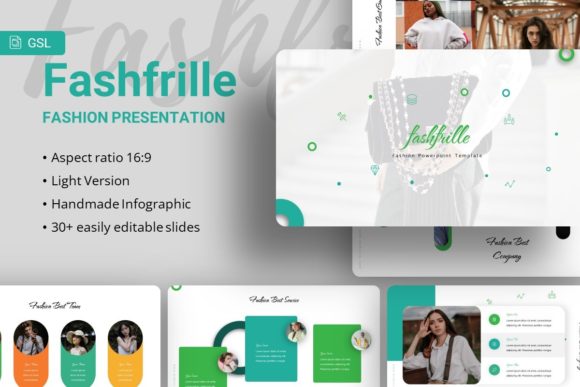
For those looking for a high-quality template, the Fashfrille Fashion Google Slides Template is a great option. This template is designed for a variety of purposes, including Creative Agency, Company Profile, Corporate and Business, Portfolio, Photography, Pitch Deck, Startup, and Personal Portfolio. It features 35 slides, easy customizable content, handcrafted infographics, and pixel-perfect illustrations. All graphics are resizable and editable, and the template includes picture placeholders for easy drag-and-drop functionality. The package comes with a .PPTX file and a documentation file, along with vector icons. Note that all images in the demo are for preview purposes only and are not included in the files. We hope you find this template useful and enjoy using it. Thanks!